


04.05.2021
1.1 Fast deposit via virtual account
HSC provides a fast and convenient deposit service through 24/7 instant bank transfers from your bank account, following the instructions below:
| Beneficiary bank | Detailed instructions |
|---|---|
| Joint Stock Commercial Bank for Foreign Trade of Vietnam (Vietcombank) | Please refer to the guide Here. |
| Joint Stock Commercial Bank for Investment and Development of Vietnam (BIDV) | Please refer to the guide Here. |
| Vietnam Prosperity Joint Stock Commercial Bank (VPBank) | Please refer to the guide Here. |
| Vietnam Maritime Commercial Joint Stock Bank (MSB) | Please refer to the guide Here. |
| Asia Commercial Joint Stock Bank (ACB) | Please refer to the guide Here. |
1.2 Fast deposit via QR code
Step 1: Access one.hsc.com.vn
Select Transfer In
Select Via QR Code
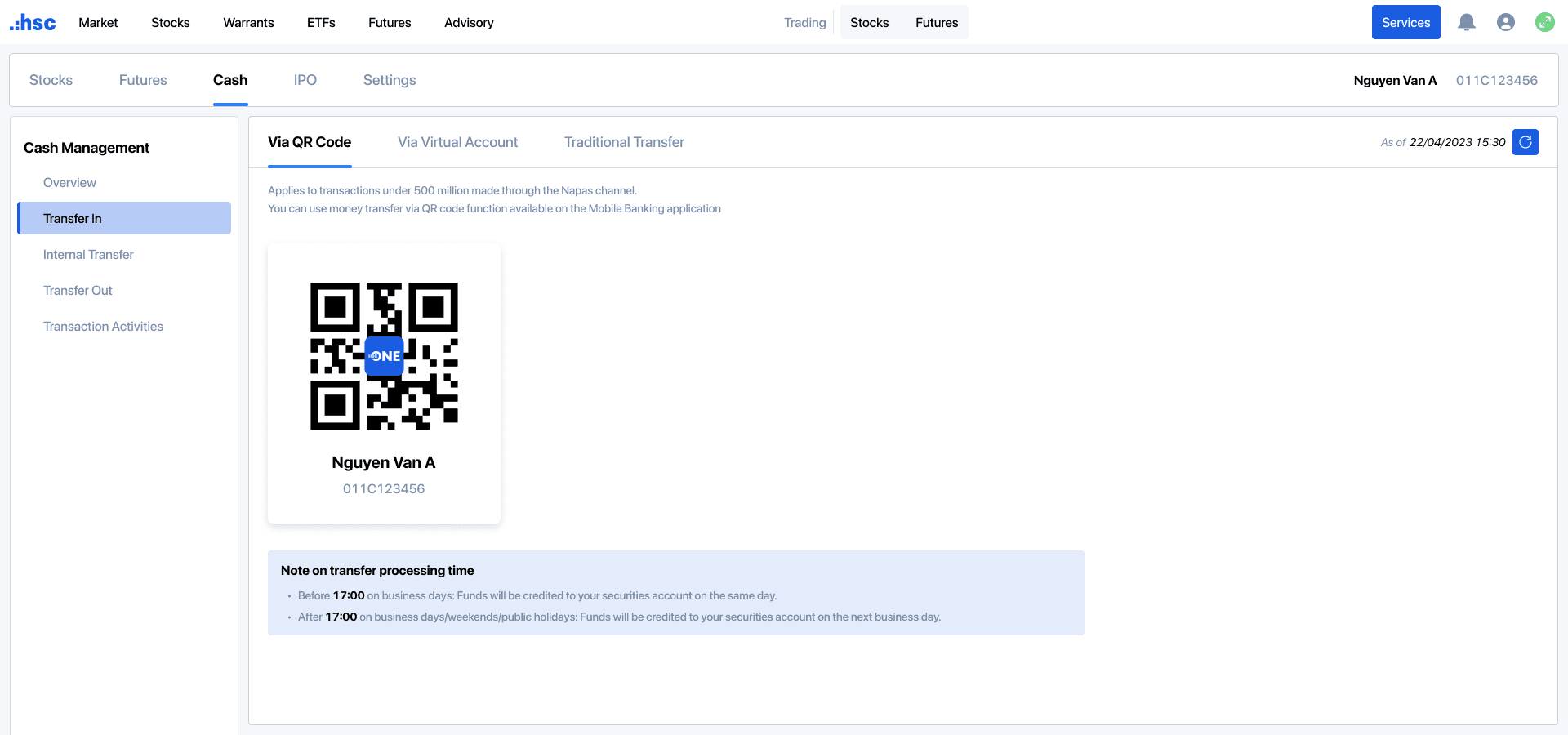
Step 2: Use your mobile banking application to scan the QR code. The system will automatically display the virtual account number and account holder's full name.
Step 3: Enter the deposit amount, review information, and complete transaction.
Note: Applicable to transactions under VND 500 million processed via the Napas channel.
1.3 Standard deposit via bank transfer
| Bank | Branch | Account number | Beneficiary name | Remark |
|---|---|---|---|---|
| BIDV | Nam Ky Khoi Nghia | 1190465065 | CTY CP CHUNG KHOAN TPHCM | [Full name of Account holder] [Securities trading account number] Example: Nguyen Van An 011C123456 |
| HDB | HCM | 068704070000941 | ||
| TCB | HCM | 10221485904012 | ||
| VIB | HCM | 880704060007099 |
2.1 Transfer description
Please provide the complete information, including Account holder’s full name and Securities trading account number.
Example: Nguyen Van An 011C123456
Please note that in cases which the transfer description contains incorrect and/or incomplete account number, beneficiary name, the transaction may not be credited to your securities trading account at HSC. In such cases, you may perform reconciliation through the following methods:
Once the bank has completed the required adjustments, HSC will allocate the deposited amount to your securities trading account.
2.2 Processing time
Time for the bank to credit funds to HSC’s collection account:
Interest on loans/ Interest on cash balances is determined according to the exact time at which HSC credits funds to your securities trading account.